
Of course you could try to ban certain words/phrases in there, but this way lies insanity.
Head over to https://admin.google.com/ac/apps/gmail/compliance and configure Content Compliance.
Select Inbound and add an expression:
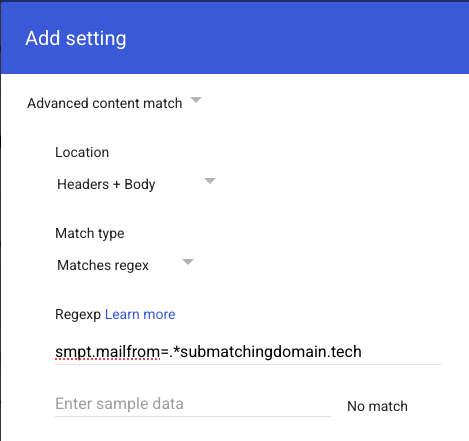
Something like that will block any email from "bot@1234submatchingdomain.tech", which is a common pattern for autogenerated users and domains. You could even block all .tech TLD emails using the
Code: Select all
.*Why is this better than an outright block? Because you have to do it for every new instance and with these rules, you can just quarantine for inspection in case you caught something that was a false positive and haven't just blackholed your boss's very important stock trading email.
If you have no idea what any of these words mean, talk to Kris http://rev.prettysneakysys.net